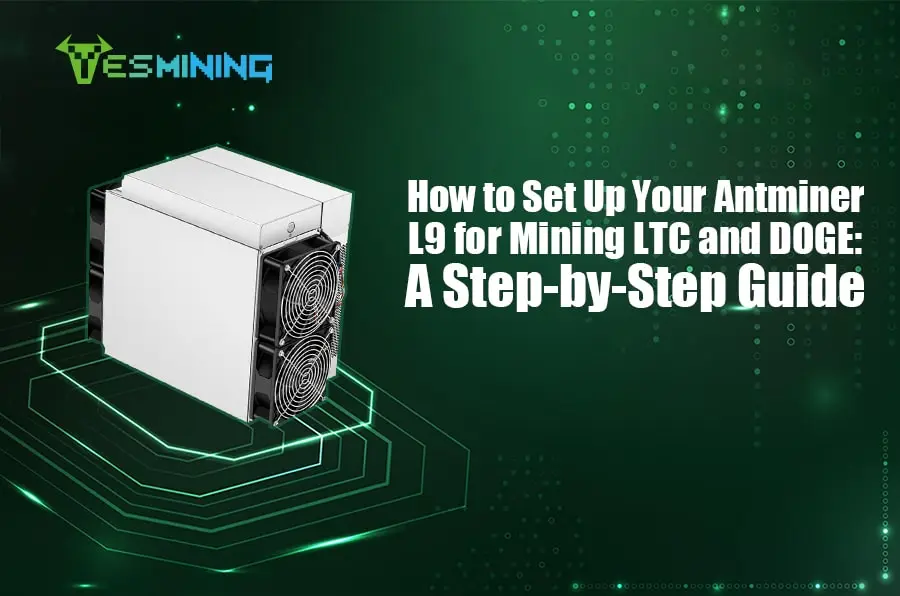
Antminer launched a new high-performance L9 miner, with an August 2024 release, that could maximize the efficiency and performance of Litecoin and other Scrypt-based cryptocurrencies mining. The Antminer L9 boasts a hashrate of up to 16 GH/s, with a total power consumption of 3360W and an energy efficiency ratio as low as 0.21J/MH. It can deal with many complex computation tasks in a very short time to provide efficient Litecoin mining and profitable DOGE mining. While maintaining a similar power consumption level to its predecessor, it achieves an overall performance enhancement by increasing hashing power and optimizing the energy efficiency ratio.
Detailed Introduction to BITMAIN Antminer L9 16G / 17G LTC DOGE Miner
Packaging and Appearance
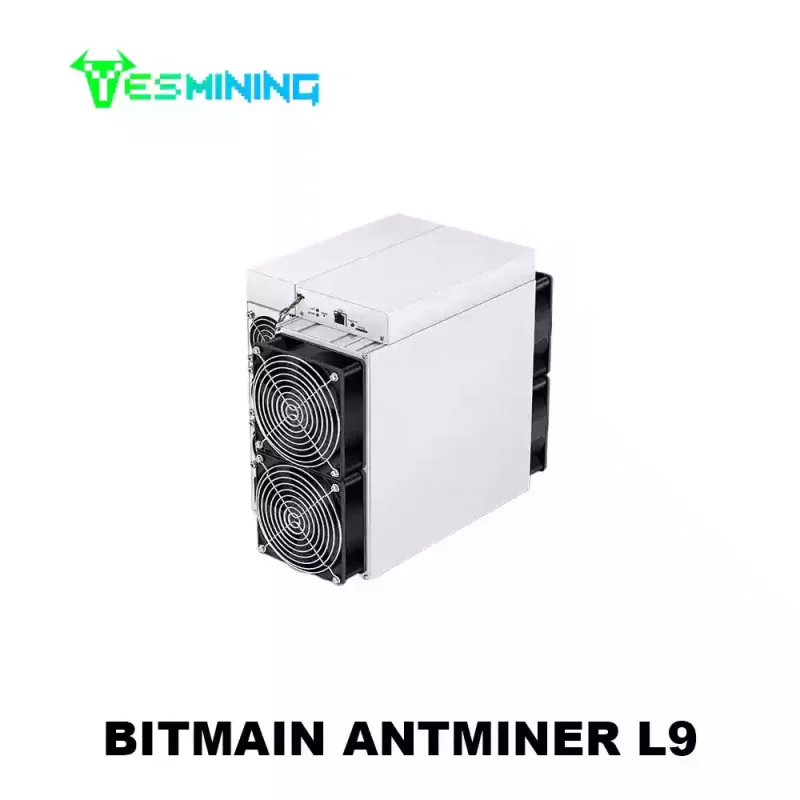
Basic information about the BITMAIN Antminer L9 16G, along with its brand logo, is printed on the outer box. After unpacking the L9 miner, you will see it is secured with foam to protect it during transportation. Also, you can get the power supply unit (PSU), a P13 Power Cable for Antminer L9, and an instruction manual. This Miner’s body is made using high-quality metallic material. It measures 200x 290 x 400mm and weighs 14500g. This design implements several types of fan configurations in pursuit of the best heat dissipation strategy. Specifically, the front of the machine is equipped with two iconic 120mm fans, capable of rotating at speeds exceeding 6,000 RPM. Along the front panel, you will also find three small fan vents, as well as a socket, which has a green, red, black, and white 4-hole plug to get the correct power cord positioned to avoid confusion.
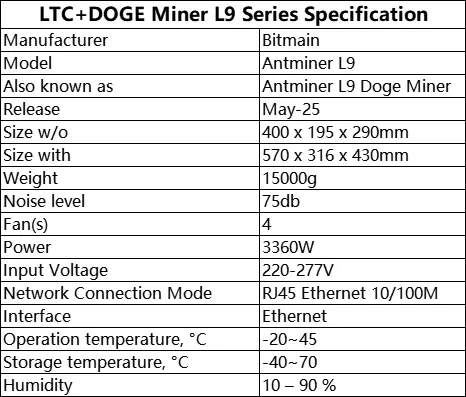
Specifications
Set up the process
Setting up the Antminer L9 is very simple. The following is the start step:
① Position: Place the L9 miner in a well-ventilated area to ensure adequate cooling. Avoid the closure of the space to prevent overheating.
② Power connection: connect the power cord of the mining machine and insert it safely into a power outlet that meets the 3260W power requirement. Ensure to confirm the slot direction that the socket matches the power cord to ensure the correct docking. Also, please be careful when unplugging the power cord to avoid damage, as this will make a longer service life.
③ Network connection: use the randomly provided network cable to connect the mining machine to the router for Internet access.
④ Find Miner IP: After supplying the power, the miner starts. After the green light of the L9 miner flashes, the IP of the miner can be found. There are several methods available for finding the IP of a miner:
- Router background lookup
- Enter Bitmain’s official website, click “Service Support” – “Firmware Download”, select “Others” on the left under the “firmware list”, and then select “IP-reporter” on the right. When opening the software for the first time, the software requires network permission, and click “Allowed Access”
- Third-party Tools
The usage method is as follows:
- Open the software and click “Start”
- Press the IP button on the miner
- Feedback on the miner IP on the computer
It should be noted that the miner and the computer must be in the same network, otherwise, it can not receive the feedback signal of the miner. Then enter the miner page, find the IP of the miner, enter the obtained IP address, and the default root in the web page.
⑤ WIFI set up: Antminer has a built-in WIFI hotspot, the SSID is antMiner, and the password is root123456. It is off by default, and users can open their own. Note: In the case of a poor WIFI signal, the mining efficiency will be affected. In the term ‘’Network-> Wifi-> eadio0: Master’antMiner”, the user can set the password for the WIFI. After modifying the settings, select “Save or “Save and Apply”. If you choose “Save and Apply”, the password change setting will take effect immediately, and you will need to reconnect to the WIFI of the mining machine. If you choose “Save,” the password will be activated the next time you reboot.
⑥ Monitoring: Observe the dashboard to monitor performance indicators, temperature, and fan speed to ensure optimal operation. In “Status-> Miner Status”, the user can view the working status of the miner. The “o” state of L9 Miner status represents OK, and “x” indicates the chip is not working.
⑦ Password settings: In “System-> Administration”, you can change the Antminer login password, and after changing the settings, select” Save “or” Save and Apply “. Note: Be sure to remember the password, or you may not be able to log in to the administration interface.
⑧ System upgrade: In the “System-> Backup / Flash Firmware”, you can upgrade the AntMiner system. Be patient during the upgrade and always keep the power connected, if you passively exit during a run, Antminer L9 will likely revert to factory settings. Until the upgrade is complete, it will automatically jump to the landing page.
Performance
It is worth mentioning that when the Antminer L9 is in operation, its intuitive and simple user setting interface can ensure seamless switching in the double mining pool operation. Once you configure Antminer for mining and switch to another mine pool, potentially moving towards more profitable DOGE mining, the system will immediately adapt and move to the new mine pool without you restarting the whole process. This switch will only restart when you manually plug and restart the mine machine.
Asics Antminer L9 provides a high computing power of 17.6 GH / s, making it one of the most powerful Scrypt mining machines. This excellent performance directly improves its profitability, but its high power consumption of 3260W will lead to a significant increase in electricity costs, so it is important to calculate profitability based on local electricity prices. The cooling system works efficiently to maintain an optimal temperature, even under a heavy load. If interested in Antminer L9 price or confused about electricity cost, search our website and contact our sales.
At the same time, the high performance of the L9 miner brings with it a noise level of 75 dB, even though this is a relatively reasonable level. However, we could consider purchasing a professional sound-deadening kit to reduce the noise.
Maintain
Maintenance of the Antminer L9 is relatively simple, and the user can ensure the long-term operation of the equipment through regular cleaning and inspection.
If you would like to purchase the BITMAIN Antminer L9 16G / 17G LTC DOGE Miner, please click on the link and contact us.

 English
  Russian
  Spanish
  French
  German


.webp)