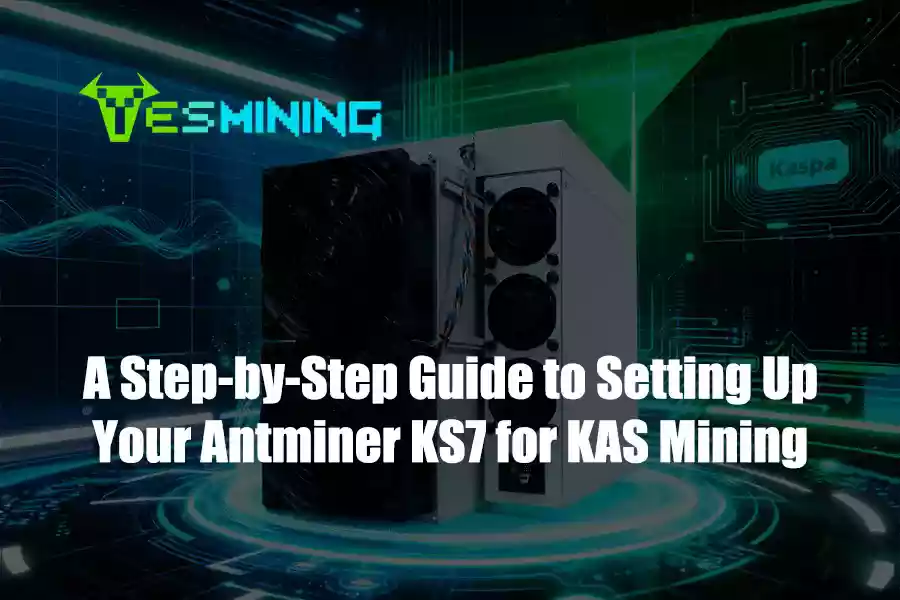
The Antminer KS7 is engineered by Bitmain and optimized for the kHeavyHash algorithm used by Kaspa (KAS). With a typical hashrate of nearly 40 TH/s and a rated power draw of around 3080 W, the KS7 offers a competitive balance of performance and efficiency for 2025-era Kaspa mining operations. Its industrial design, robust airflow, and Bitmain manufacturing standards make it suitable for both small-scale and farm-scale miners who prioritize reliability and consistent uptime.
If you are ready to purchase or check the current stock and shipping options, you can review the full specifications of the Antminer KS7.
Pre-Setup Checklist: What to Prepare
Before powering on a high-performance miner like the KS7, prepare the following to avoid damage and maximize performance:
• Dedicated power: 220–277 V AC single-phase circuit rated ≥ 20 A with reliable grounding and surge protection.
• Ventilation: a well-ventilated or climate-controlled environment. Keep ambient temperature within recommended ranges and avoid dust accumulation.
• Network: a stable wired Ethernet connection (RJ45, 10/100 Mbps).
• Wallet & pool: a valid Kaspa wallet address and a trusted mining pool that supports kHeavyHash / KAS.
• Physical readiness: a secure rack or shelf, cable management, and basic tools for inspection.
Schritt-für-Schritt-Einrichtungsanleitung
1, Unpack, Inspect & Verify Your Unit
Carefully remove the miner from its packaging and verify the model label reads “KS7.” Inspect the chassis, fans, connectors, and power cable for shipping damage. Handle the unit safely — the KS7 is heavy and should be moved by two people if needed. Verify included accessories and any documentation from the supplier.
2, Connect Power Supply Safely
Connect the KS7 to a dedicated 220–277 V AC circuit capable of delivering ~3080 W at full load. Use grounded, surge-protected outlets. Confirm the circuit is not shared with other large appliances. Incorrect wiring or insufficient circuit capacity can damage the miner or cause breaker trips.
3, Connect to Network (Ethernet)
Use a quality RJ45 cable to connect the miner directly to your router or managed switch. Avoid daisy-chaining through multiple hubs. Ensure your network allows outbound connections to the ports required by your mining pool. If you manage many miners, consider segmenting them on a separate VLAN for traffic isolation.
4, Access the Miner Web UI & Secure It
Power on the KS7 and wait a few minutes for it to boot. The miner will usually obtain an IP address via DHCP. Locate the KS7 IP in your router’s connected devices list or by running a local network scan. Open a browser to that IP, log in using the default credentials provided, and immediately change them to a strong, unique password. For multi-miner deployments, assign static IPs or reserve DHCP addresses to avoid conflicts.
5, Configure Mining Settings (Pool + Wallet + Worker)
In the miner’s web interface, find the “Miner Configuration” or “Pool Settings” section. Enter your mining pool’s server address and port (for example, stratum+tcp://pool.example.com:port), and paste your Kaspa wallet address into the worker field using an identifiable worker name (e.g., YourWallet.KS7-01). Save the settings and allow the miner to reconnect to the pool.
6, Validate Mining Operation & Monitor Stability
After configuration, monitor the dashboard for reported hashrate (target ~40 TH/s), accepted shares, fan speeds, and internal temperatures. Keep a log of daily uptime, average hashrate, and any error messages. Stable accepted shares and consistent hashrate are indicators of correct setup.
Best Practices for Long-Term Stability, Efficiency & Safety
• Maintain a clean environment: periodically remove dust from fans and vents to prevent overheating.
• Ensure uninterrupted power: use surge protection and avoid sharing circuits with other heavy loads.
• Monitor environmental conditions: keep ambient temperature and humidity within recommended ranges.
• Firmware: only update firmware from official or trusted sources; backup configuration before updating.
• Record-keeping: track runtime hours, maintenance actions, and any anomalies — this helps with troubleshooting and ROI calculations.
Common Pitfalls / Troubleshooting
If problems occur, the following table helps identify likely causes and recommended actions.
| Problem | Likely Cause | Recommended Action |
|---|
| Hashrate significantly below expected | Pool misconfiguration, network issue, faulty cable | Re-check pool address and port, verify wallet/worker format, replace Ethernet cable, try direct connection to router |
| Overheating or high fan noise | Poor ventilation, dust buildup, high ambient temperature | Improve airflow, clean dust, ensure fans spin freely, consider AC or exhaust fans |
| Miner fails to power on or trips breakers | Insufficient circuit capacity or wiring problem | Use a dedicated 20 A circuit, confirm voltage range 220–277 V, check grounding |
| Miner not visible on network | DHCP problem, IP conflict, faulty cable | Assign static IP, reserve DHCP in router, test/replace Ethernet cable |
| Frequent disconnects | Unstable internet, firewall blocking pool ports | Check ISP stability, open required ports, choose nearby, reliable pool |
Why Proper Setup and Maintenance Matters
Proper initial setup and ongoing maintenance preserve hardware longevity, maximize uptime, and protect your investment. For high-power miners like the KS7, small mistakes (power misconfiguration, poor cooling, insecure network settings) can lead to reduced performance, hardware failure, or safety hazards. A professionally executed setup improves profitability and lowers long-term operational risk.
Conclusion & Next Steps
The Antminer KS7 is a high-performance, Bitmain-built ASIC optimized for Kaspa mining. Follow the steps above — dedicated power, secure network, correct pool/wallet configuration, and regular maintenance — to achieve reliable operation and maximize mined KAS.
Ready to buy or scale your deployment? Visit our product page to view stock, pricing, and purchase options:
Buy Antminer KS7 — YesMining
If you would like, we can also provide a printable quick-start checklist, SKU-level warranty notes, or an FAQ schema block for improved search engine visibility. Contact our support team for bulk orders, logistics, or setup services.

 German
  English
  Russian
  Spanish
  French