Introduction:
Miners, like people, will inevitably have glitches. To ensure the normal operation of the mining machine, reduce downtime, and improve efficiency, how can we systematically submit maintenance orders on Glacier’s official website and handle mining machine problems quickly and accurately, thereby minimizing What about minimizing machine downtime? Today we will take KS5L as an example to introduce you to the operation guide for submitting Ice River repair orders on the Ice River website.
The First Step: how to create a work order?
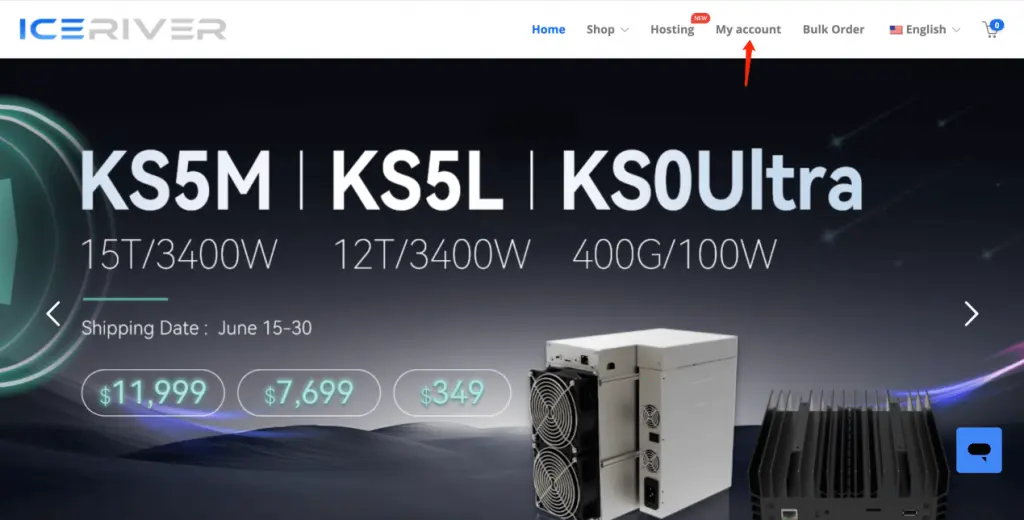
1. Visit the official website of Ice River.
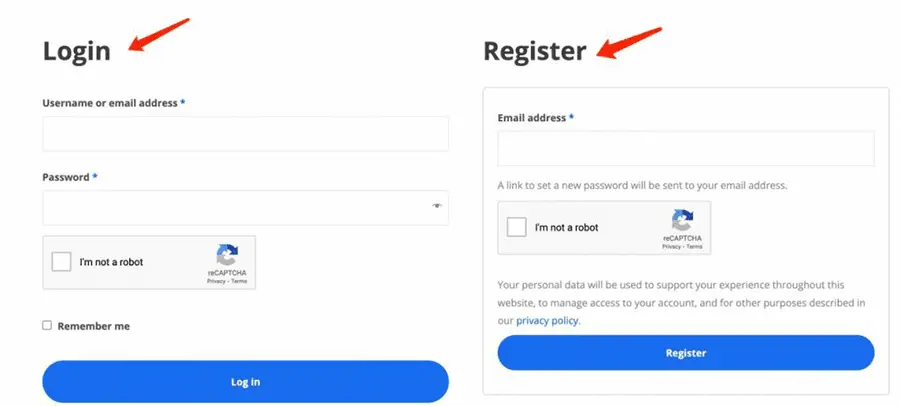
There is a “my account” at the top of the page. Enter your username and password to log in.
If you do not have an Ice River account, you can create one by clicking the “Register” button and entering your email address.
2. After entering the interface, there is a “My Repair Ticket” on the left. Click it and you will see “Create a Repair Ticket”.
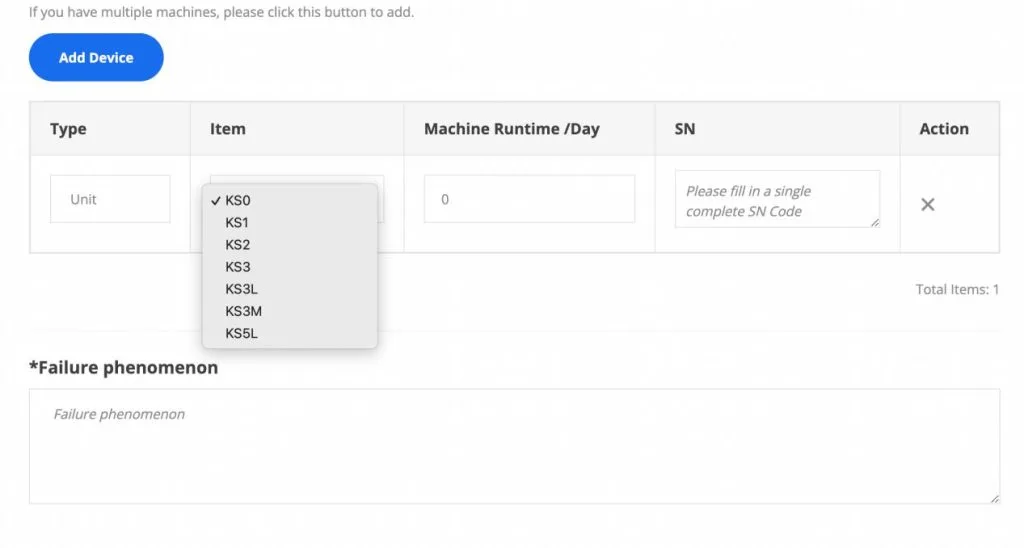
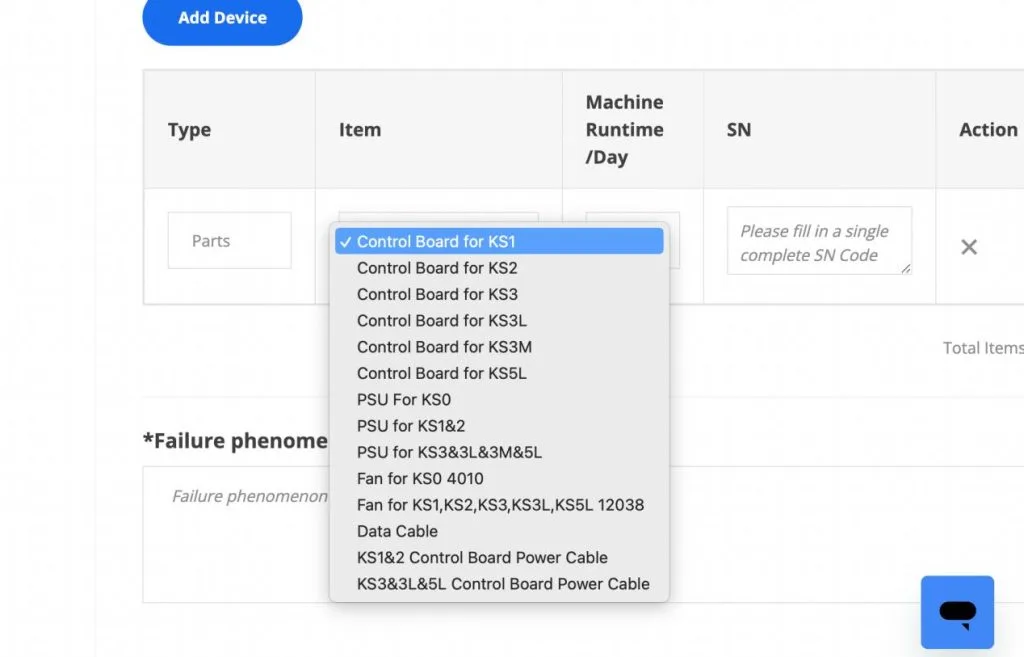
3. Click “Add Device” to fill in the Device information of your ice river KS5L ( like Unit, KS5L, Operating time, SN). If more than one miner has problems, you can continue to click “Add Device”.
If your miner is having a problem with accessories, you can select “parts” from “type” and the corresponding model, parts, operating time, and SN from “item”. Finally, fill in the return address of the miner after maintenance.
NOTES :
⚠ Tracking number: If you don’t have a tracking number yet, you can enter the date and time first. Once you get the tracking number, you must update the right tracking number in the repair order within 7 days of creating the repair order. Otherwise, the tracking number will not be updated after the above 7 days. (You only have one chance to fill in the tracking number. You need to check carefully before filling in the correct tracking number.
⚠ Repair location: Please select your country/region, and the system will automatically match the address of the nearest repair center for you.
⚠ ICERIVER repair station must receive the defective product within 15 days after creating the ticket; otherwise, if the product is received after the 15 days, the product will not be covered by the warranty.
⚠ After submission, you will see “operation successful”, which means you have successfully created the work order. Click on the work order number to view the work order details
The Second Step: How to know the maintenance situation of your machine?
After the miner machine is sent out, everyone wants to know clearly what maintenance situation their machine is in. We don’t have to worry, Ice River has a complete tracking system.
The following are some terms and their meanings for users to refer to when checking the package status.
- “Created”–ice river is waiting for your returned package
- “Received, under repair”—means that your package has arrived at iceriver repair center, and your mining machine is under repair.
- Repair completed, settling in progress”–Ice river has confirmed the problem of the returned miner and completed the repair. They are calculating the repair cost and waiting for customer payment confirmation. (Under warranty, customers do not need to pay)
- “Sent back”-ice river has sent out the repaired mining machine.
5.“Closed”–Logistics shows that the customer has signed for the returned package, and the repair order is considered completed and closed.
Thank you for reading.
Get your Iceriver mining machine(KS5L KAS Miner) from reputed mining hardware distributors like Yesmining and enjoy hassle-free buying.

 English
  Russian
  Spanish
  French
  German